


ABC Games: Phonics & Tracing
4.72.26K Reviews
App Specs
- Version
- 19.14.09
- Updated On
- License
- Free
- Downloads
- 5,000,000+
- Developer
- Bebi Family: preschool learning games for kids
- Categories
- Educational
- Platform
- Android
Screenshots
 Analysis by AppCompare
When I look for an early-literacy game, I want more than bright screens: I want to know whether a young child can understand what to do, whether the activities suit different ways of learning, and whether an adult can make screen time useful without turning it into a lesson. ABC Games: Phonics & Tracing is a preschool educational game from Bebi Family: preschool learning games for kids, built around alphabet practice, letter sounds, and tracing. Its focus is appealingly direct, though it works best as a short practice companion rather than a substitute for books, conversation, or a teacher.
Readability and getting around
The app’s kid-friendly interface is intended for little fingers, and the activities center on familiar letters rather than an elaborate set of menus. That simplicity matters for children who are only beginning to use a touchscreen: they can spend more attention on the letter in front of them and less on figuring out a complicated tool. In my view, the combination of seeing, hearing, and tracing letters gives caregivers several ways to introduce the same basic idea.
For a child who is not yet reading instructions, an adult can help establish the routine first: choose a brief activity, say the letter aloud, and invite the child to listen or trace. Once the child recognizes what the activity asks, they may be able to repeat it more independently. I would still stay nearby, especially at the beginning, because a young learner may need help interpreting feedback or moving on when attention wanders.
Getting Started with ABC Games
First off, downloading and setting up ABC Games: Phonics & Tracing is a breeze. Available for both Android and iOS, you simply head over to the respective app store, hit download, and you're ready to roll. No complex sign-ups or prolonged loading times here, which is always a win in my book. The app is designed with a kid-friendly interface, making it easy for little fingers to navigate around.
The game is free, is rated for Everyone, and has an average rating of 4.8 from around 28,000 ratings. It has passed 5 million installs, a sign that many families have tried it, though popularity alone cannot tell me whether a particular child will enjoy the activities. It was released on October 30, 2019, and its current version is 19.14.03; Android users need version 6.0 or later. In-app purchases are listed at $2.99 per item, so I would check the purchase details with an adult before handing a device to a child. The game’s no-ads positioning is welcome for a learning session, but it is still sensible to supervise a preschooler using any phone or tablet.
Engaging Features
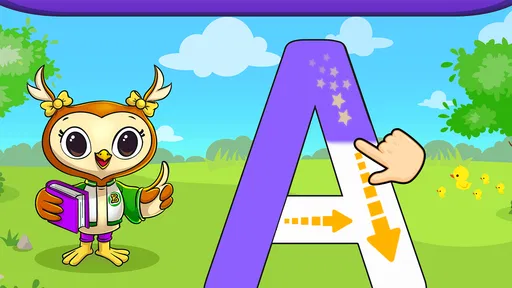
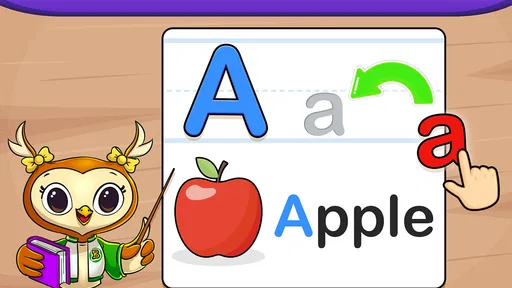
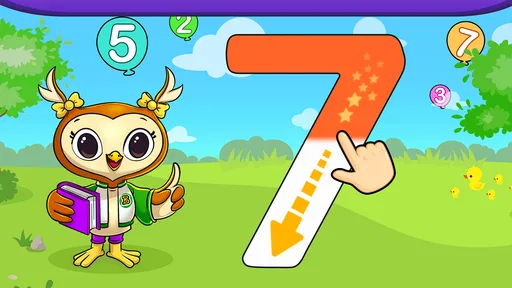
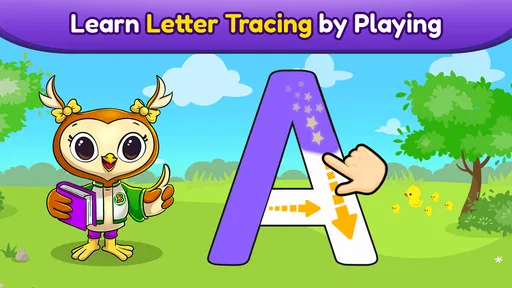
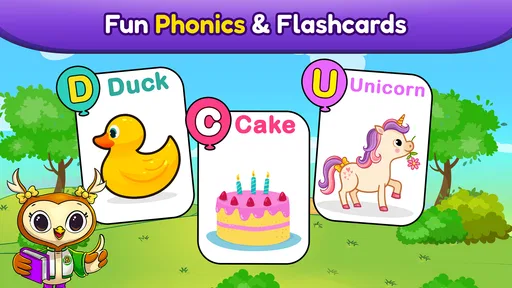
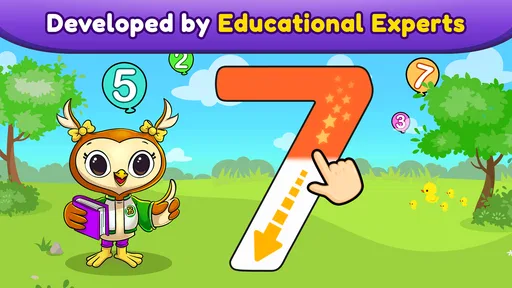
Now, let’s dive into what makes this app a gem. The main draw is its focus on phonics and tracing. The app is packed with colorful animations and delightful sounds that keep kids hooked. Each letter of the alphabet has its own set of activities, from tracing exercises to phonics games that help in sound recognition.
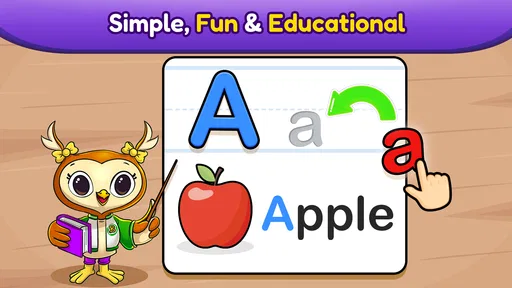
The tracing feature is particularly well-crafted. Kids can trace both uppercase and lowercase letters, and the app provides instant feedback, which is crucial for learning. It’s like having a mini teacher in your pocket. There’s also a nifty voice-over feature that helps with pronunciation, so kids can hear how each letter sounds.
Worth Reading Before You Choose

EA SPORTS FC Mobile 26 Is a Bigger Football Game, but It Takes Time

Flipboard Shows What News Apps Must Do Beyond the Feed

Switching to Android Auto Means Rethinking Your Driving Routine

Google Calendar Makes a Crowded Week Easier to Manage

Ludo King Makes the Most of the Minutes Between Plans

Baby Panda World Brings Quick Play to Modern Phones, but Its Game Library Feels Busy
Motor and sensory considerations
Tracing on a touchscreen is a different task from forming a letter with a pencil. It can give a child a low-pressure way to notice a letter’s shape, but it does not replace the hand strength, pencil control, or page awareness developed through drawing and writing on paper. I would treat screen tracing as one step in a mixed routine: listen to a sound, trace on screen, then try making the shape with a finger in the air or with a crayon.
That routine can also help when a child tires quickly of one kind of activity. The sound and animation may hold attention, while a quieter moment away from the screen gives the eyes and hands a break. The app includes a setting to turn off background music, which is useful if music competes with speech or distracts a child. I would not assume that this addresses every sensory preference; a child who dislikes bright movement, electronic sounds, or touch-based tasks may do better with a printed alphabet book or a calm, adult-led activity.
Learning Through Play
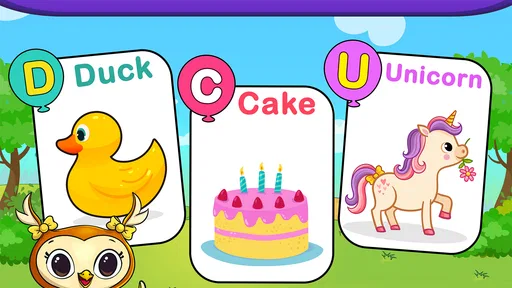
One thing I love is how ABC Games seamlessly blends learning with play. The app uses a variety of games to reinforce letter recognition and phonics. For instance, there are matching games where kids pair letters with corresponding sounds. These games are not only educational but also super fun, ensuring that learning doesn’t feel like a chore.
The app’s reward system is another highlight. As kids progress, they earn stars and stickers, which keeps them motivated. It’s that little extra push that makes them want to come back for more. Plus, the animations that come with these rewards are a hit with the kids!
Making a short practice session count
A realistic use for this game is a brief turn while a caregiver is preparing dinner or waiting for an appointment to begin. I would sit with the child for the first few minutes, ask them to listen to a letter sound, and then invite them to trace that letter. Afterward, we could look for the same letter on a book cover or a food package. That simple bridge from screen to everyday objects makes the practice feel connected to the world rather than confined to a device.
One useful trade-off is to let the child choose when to stop rather than relying on rewards to extend the session. Stars and stickers can make repetition enjoyable, but a child may focus on collecting them instead of listening carefully to a sound. If that happens, I would pause the game and ask the child to identify or say the letter without the screen. The goal is recognition and curiosity, not a long session or a perfect score.
Situational access and alternatives
ABC Games is a good fit for families who want an approachable way to revisit letter names, sounds, and shapes, especially when a child enjoys interactive practice. The app’s focus can also suit a caregiver who wants a small activity to share rather than a broad preschool curriculum. Since the game is free to start, a family can try its style before deciding whether it belongs in their routine, while keeping in mind that individual in-app items have a listed price.
Compared with a paper alphabet workbook, the game offers spoken sounds, animated feedback, and playful rewards; a workbook, in turn, makes it easier to slow down, draw freely, and practice with a pencil. Compared with a general video or passive letter song, tracing and matching ask the child to respond rather than simply watch. Neither format is automatically better. I would choose this game for short, guided practice and choose books, real-world letter spotting, or pencil-and-paper activities when the aim is conversation, broader language, or handwriting control.
It is less suitable as the only learning resource for a child who needs structured reading instruction, for a family seeking activities beyond early alphabet skills, or for a learner who finds a touchscreen frustrating. Children also vary in how they respond to sound, movement, and on-screen rewards. If the child repeatedly taps without attending to the letters, I would switch to a quieter, hands-on alternative and return to the game only if it becomes enjoyable again.
Parental Insights
For all the parents out there, you’ll be pleased to know that ABC Games: Phonics & Tracing provides insights into your child’s progress. You can easily track which letters they’ve mastered and which ones need more practice. It’s a great way to stay involved in their learning journey without being intrusive.
The app also includes a settings section where you can customize the experience, such as turning off background music if needed. It’s these thoughtful touches that show the developers really understand the needs of both kids and parents.
For the most useful check-in, I would treat progress as a prompt for conversation rather than a final measure of what a child knows. A child may recognize a letter in a game but not yet spot it in a book, or may know its sound but need more time to trace its shape. Ask them to point out the letter away from the screen, and use the game’s practice as one clue about what to revisit together. That approach keeps the adult involved without making every play session feel like a test.
Remaining barriers and who should skip it
The focus on the alphabet is also the main limitation: children who are ready for stories, sentence reading, or a wider range of early-learning topics will likely need other material alongside it. Tracing on glass can be engaging, but it cannot show whether a child is comfortable holding a pencil or forming letters on paper. Likewise, an on-screen voice and animation cannot replace a caregiver’s ability to adjust language, pace, and encouragement to the child in front of them.
I would skip it if the child gets upset by touch controls, needs a screen-free routine, or is looking for open-ended drawing rather than guided letter activities. I would also avoid using it as a way to occupy a child without supervision: a nearby adult can help translate the game into conversation, notice frustration, and stop when the child has had enough. For children who benefit from slower repetition, a printed letter card or one-to-one practice may be a better match on a particular day.
Wrapping It Up
All in all, ABC Games: Phonics & Tracing is a fantastic educational tool that blends learning with fun. It’s a solid app that I’d recommend to any parent looking to give their child a head start in literacy. The combination of phonics, tracing, and playful elements makes it a standout in the educational app market.
My recommendation is most confident for a preschooler who likes interactive activities and an adult who can keep the experience brief and connected to everyday learning. I would pair it with talking, shared books, and real-world letter spotting, rather than expecting one game to build every early reading skill. Its 4.8 average and roughly 2,000 written reviews offer a useful snapshot of other users’ opinions, but the child’s comfort and interest matter more than those numbers.
So, if you’re ready to embark on this phonics-filled adventure, head over to your app store and give ABC Games a whirl. Your kids might just thank you with their newfound love for letters!
Pros
- Engaging and colorful interface for kids.
- Interactive learning with fun activities.
- Offline access available for all features.
- Parental controls to monitor progress.
- Regular updates with new content.
Cons
- Limited free content
- requires in-app purchases.
- Some activities can be repetitive.
- Ads can be distracting during use.
- May not support older devices well.
- Requires frequent updates for smooth functionality.
FAQs for ABC Games: Phonics & Tracing
What age group is ABC Games: Phonics & Tracing suitable for?
ABC Games: Phonics & Tracing is designed for children aged 3 to 6 years old. It focuses on early literacy skills, helping young learners develop phonics, letter recognition, and basic writing skills through engaging and interactive gameplay. The app is ideal for preschoolers and kindergarten students.
Is ABC Games: Phonics & Tracing available on both Android and iOS?
Yes, ABC Games: Phonics & Tracing is available for download on both Android and iOS platforms. Users can find it on the Google Play Store for Android devices and the Apple App Store for iOS devices, ensuring broad accessibility for various mobile users.
Does ABC Games: Phonics & Tracing require an internet connection?
ABC Games: Phonics & Tracing does not require an active internet connection to play. Once downloaded, all features are available offline, making it convenient for on-the-go learning without the need for Wi-Fi or mobile data.
Are there any in-app purchases in ABC Games: Phonics & Tracing?
ABC Games: Phonics & Tracing offers a free version with basic features. However, there are additional in-app purchases available for unlocking premium content, such as extra levels, themes, and enhanced learning tools. Parents can choose to purchase these to enrich their child's learning experience.
How does ABC Games: Phonics & Tracing support learning?
ABC Games: Phonics & Tracing supports learning by integrating fun and educational activities that enhance phonemic awareness and letter formation. The app uses a combination of visual, auditory, and kinesthetic elements to cater to different learning styles, making it effective for skill development in young children.


